SOP — Operations (managers)
The manager's view of the venue. Tabs: Floor · Approvals · Service · Team · Reports. A Live indicator confirms the real-time connection is healthy.
Watch the floor
The Floor tab is a live map of tables, with a side rail of at-a-glance numbers. Tables are colour-coded by how long they've been waiting.
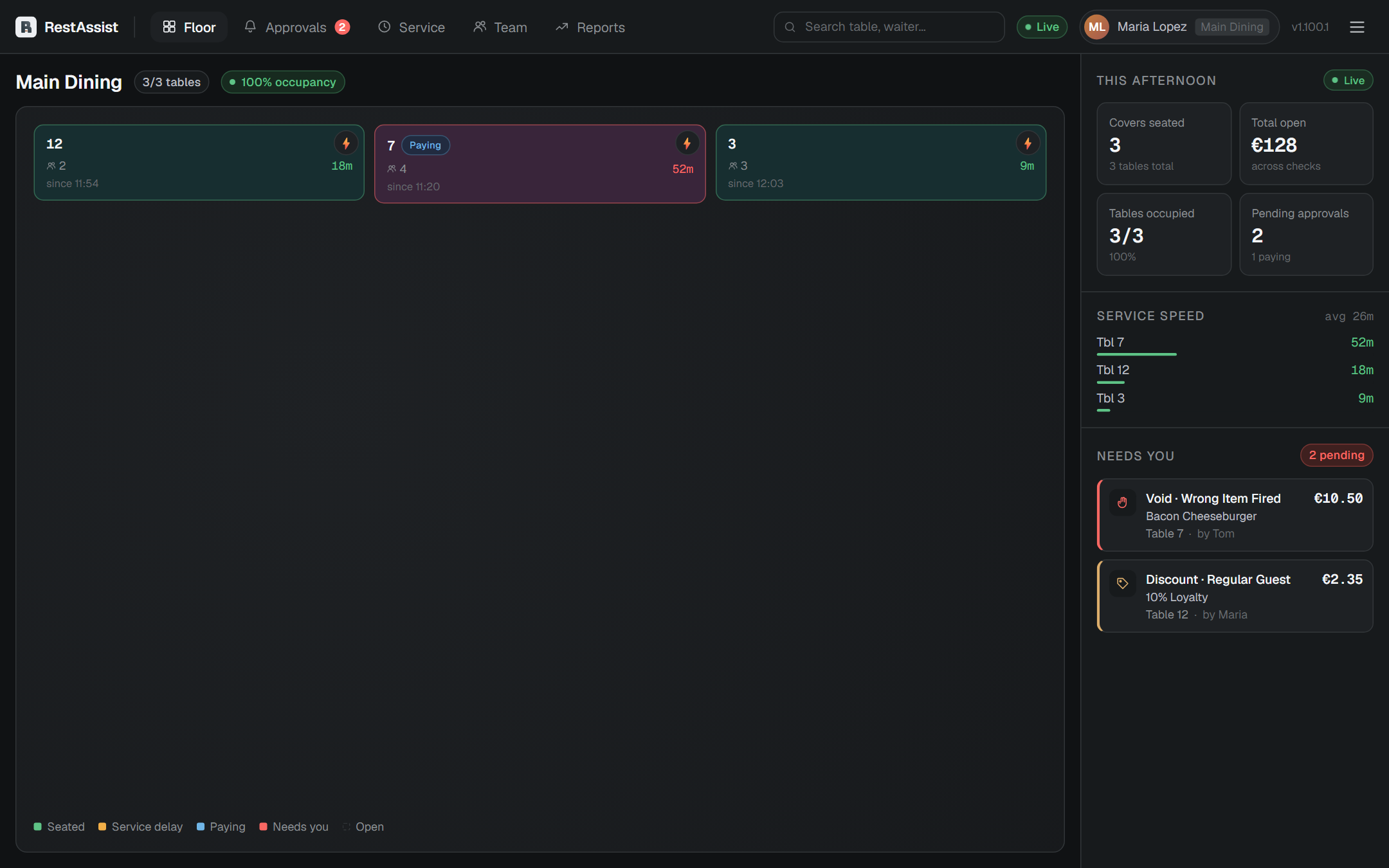
- Tap any table to open its check — add a round or void an item directly if needed.
- Rush a table: open it (or use the rush control) to flag the check so the kitchen makes it next — it jumps to the front of the Kitchen screen. Tap again to un-rush.
Approve a void or discount
Go to the Approvals tab. The badge shows how many are waiting. Each request lists the table, check, item or reason, who asked, and the amount.
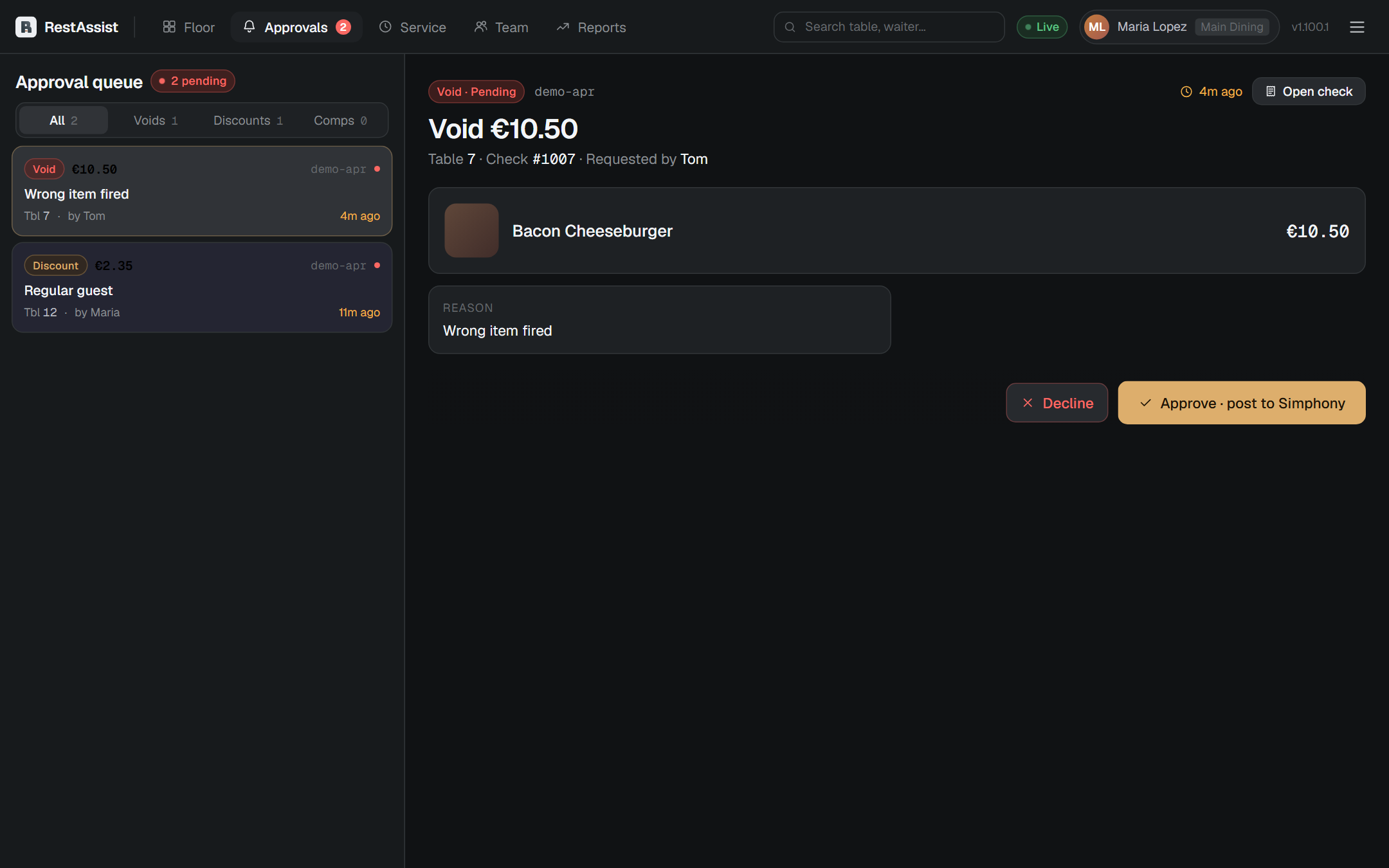
Tap Approve or Decline. The server is notified immediately.
Spot tables that need attention
The Service tab ranks tables by how long since the last action — time since the order and time since payment was due. Anything past the alert thresholds is highlighted so you can step in early.
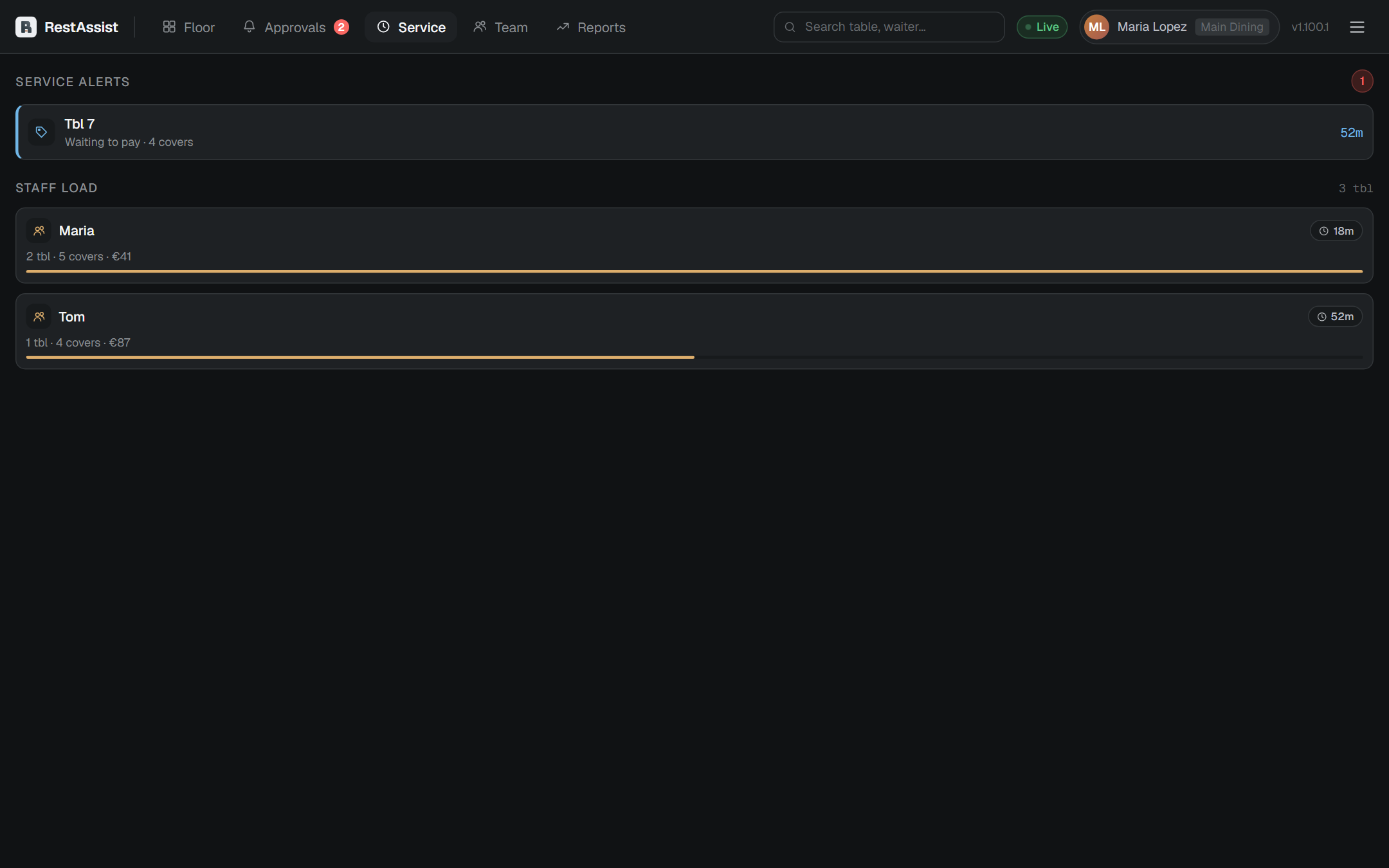
Thresholds (order-time and payment-time, in minutes) are set by an admin in Settings.
Check sales & performance
The Reports tab shows the day's numbers from Oracle Reporting & Analytics. Pick a business day and, optionally, a revenue centre.
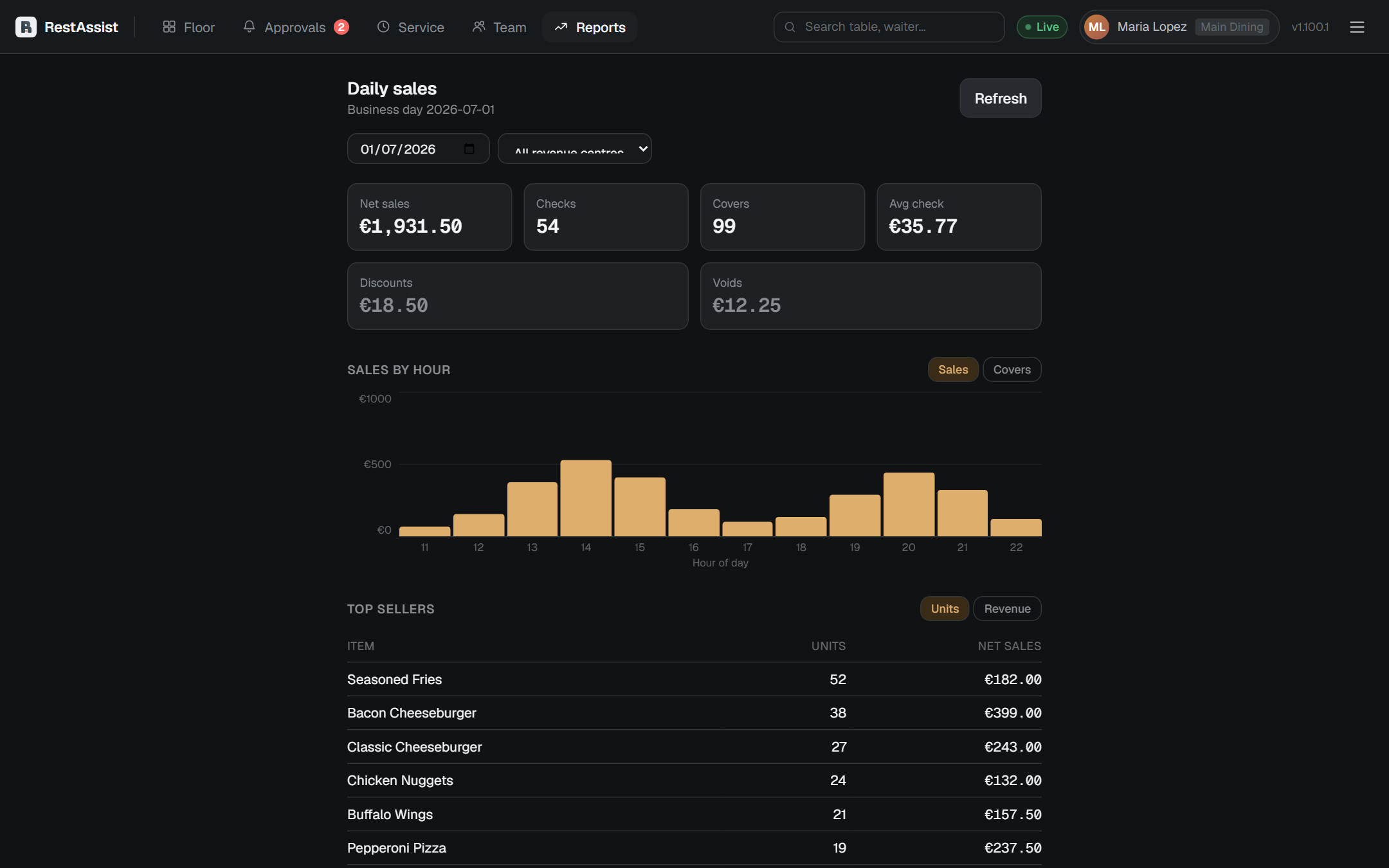
- Daily totals — net sales, checks, covers.
- By employee — sales per server.
- Intraday — how the day built hour by hour.
- Top menu items — what's selling.
If Reports is empty, the Oracle Reporting & Analytics connection needs setting up in the admin panel under Integrations.