SOP — Kitchen (KDS)
The prep board. Each order is a ticket; each dish is a line. A screen can be scoped to a station (e.g. a grill screen shows only grill items).
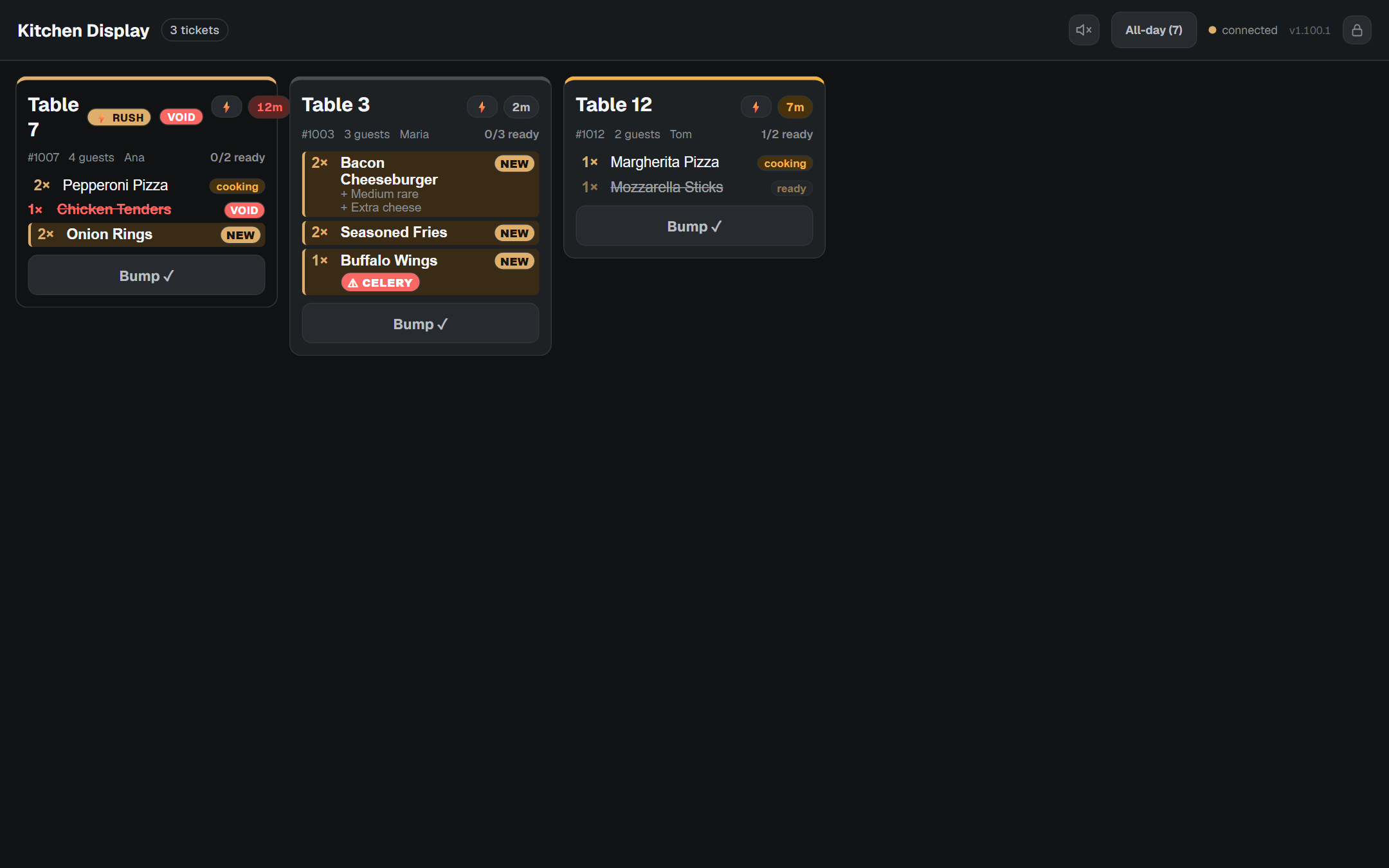
(In this sample board: Table 7 is flagged ⚡ RUSH with a voided line; Table 3 has just been fired with a ⚠ CELERY allergen; Table 12 is part-cooked with one dish ready.)
Work a ticket
- As dishes are cooked, tap a line to move it forward: new → cooking → ready. (Tap once more to wrap back — a mis-tap is easy to undo.)
- When the whole ticket is done, tap Bump ✓ to clear it off the board.
- The ticket's timer changes colour as it waits — normal, then amber, then red — so the oldest orders stand out.
Read the safety flags
- ⚠ Allergen chips (red) appear under a dish name — always check these before the dish leaves the pass.
- A VOID line is struck through in red: stop making it, or bin it.
- A ⚡ RUSH ticket (flagged by a manager) jumps to the front — make it next.
Sounds
- A chime plays on a new order and on a void. Use the speaker button to mute/unmute.
- Tap the screen once at the start of service to enable audio (browsers require a tap before they'll play sound).
Recall a bumped ticket
If a dish comes back or was bumped too early, find it in the recall list and tap ↩ Recall to bring it back onto the active board.